Heading out for a bike ride, a weekend trip, or a day on the slopes? Knowing how long your camera battery lasts and how to keep it charged makes it easier to plan your shoot.
This guide covers AKASO 360 battery life, charging methods, LED indicators, battery kits, and practical tips for keeping your batteries in good condition.
1. How Long Does the AKASO 360 Battery Last?
The AKASO 360 uses removable 1350mAh standard batteries. In laboratory testing, a fully charged standard battery provides approximately 60 minutes of continuous 360° video recording at 5.7K@30fps.
Battery life varies with recording mode, resolution, frame rate, ambient temperature, and how you use the camera.
Battery Life by Recording Mode
These reference recording times are for a single standard battery. Actual battery life may vary depending on shooting conditions and usage.
| Recording mode | Resolution and frame rate | Approximate recording time |
|---|---|---|
| 360° Video | 5.7K@30fps | 60 minutes |
| 360° Video | 4K@60fps | 60 minutes |
| 360° Video | 4K@30fps | 70 minutes |
| Single-Lens Video | 2.8K@60fps | 60 minutes |
| Single-Lens Video | 2.8K@30fps | 90 minutes |
The number of batteries included varies by camera combo. For example, the Standard Combo includes two standard batteries, while the Creator Combo includes three standard batteries and a multifunctional charging case.
Check the contents of your chosen combo on the official AKASO 360 product page before ordering.
2. How to Charge Your AKASO 360
You can charge the battery directly through the camera or use the AKASO 360 Multifunctional Charging Case.
Method 1: Charge Directly Through the Camera
There is no need to remove the battery to charge it through the camera's USB-C port.
- Turn off your AKASO 360.
- Open the USB-C port cover.
- Connect the camera to a power adapter using a USB-C charging cable.
- Once charging is complete, unplug the cable and securely close the port cover.
A full charge takes approximately 100 minutes with a 5V/3A power adapter. Charging time may vary depending on the power source, battery temperature, and remaining charge.
Camera Battery and Charging Indicators
| LED indicator | Camera status |
|---|---|
| Solid red | Charging with the camera turned off |
| Slowly flashing red | Low battery |
Method 2: Use the Multifunctional Charging Case
If you have several batteries, the AKASO 360 Multifunctional Charging Case offers a convenient way to charge and store them. It can charge up to three batteries at once, with a separate LED indicator for each slot. There is also room to store two microSD cards.
Insert the batteries into the case and connect it to a power source using a USB-C cable.
Charging Case Indicators During Charging
| LED indicator | Charging status |
|---|---|
| Flashing green | Charging |
| Solid green | Fully charged |
| Solid red | Charging paused due to overheating protection |
If a battery is hot after a long recording session, let it cool naturally before charging it.
How to Check Battery Levels with the Charging Case
You can check the remaining charge of each battery even when the case is unplugged.
| LED indicator | Remaining charge |
|---|---|
| Flashing red | Below 20% |
| Solid red | 20%–49% |
| Flashing green | 50%–99% |
| Solid green | 100% |
Before heading out, check the indicators to see which batteries need a recharge.
3. Which AKASO 360 Battery or Battery Kit Is Right for You?
Whether you need a single spare battery, a way to charge several batteries at once, or a battery designed for winter adventures, there is an option to suit your shooting needs.
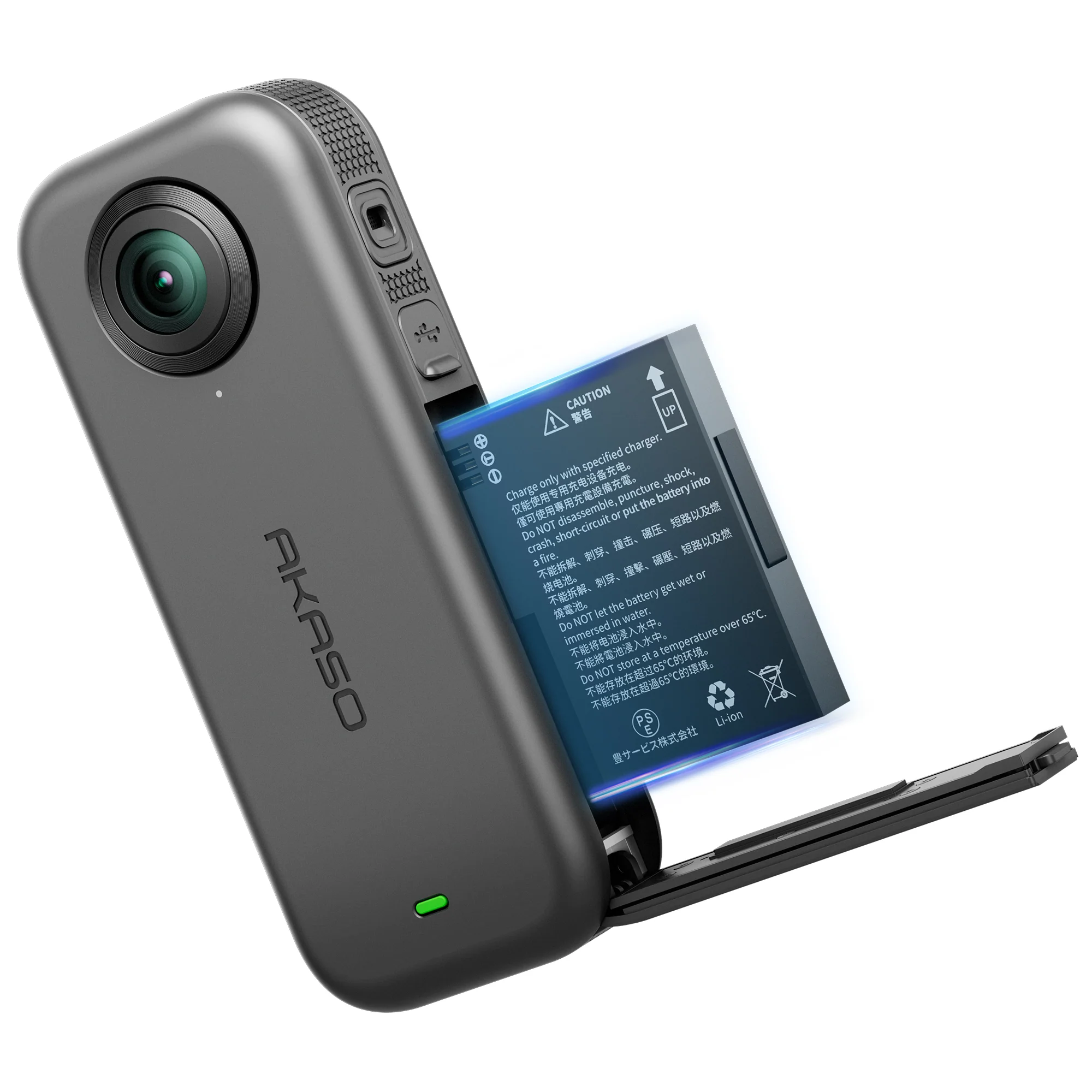
AKASO 360 Camera Battery
Includes: One 1350mAh standard rechargeable battery.
A spare battery is a simple way to extend your shooting time, especially if you already own a charging case. It is a practical choice for everyday filming, short trips, and casual outdoor activities.
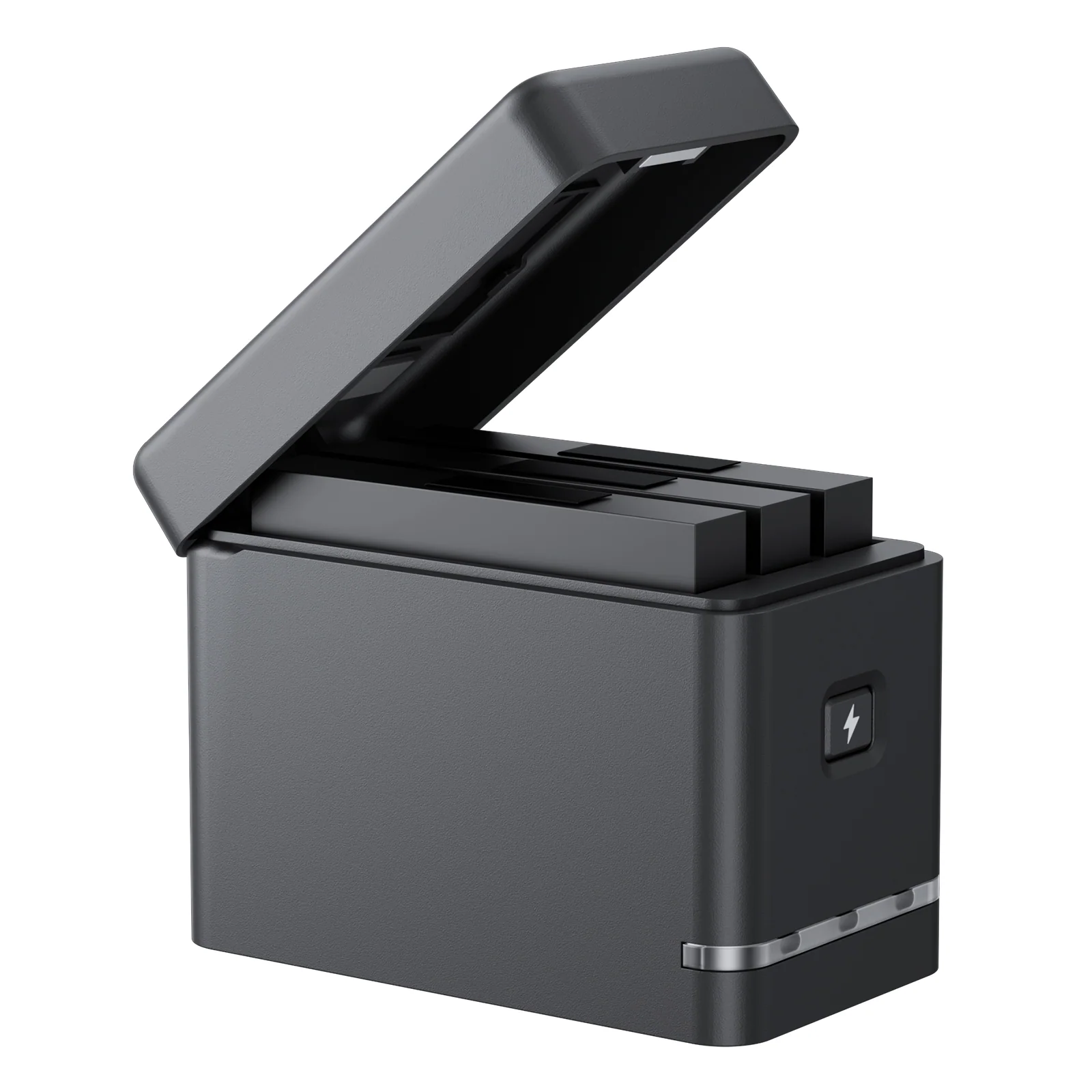
AKASO 360 Multifunctional Charging Case
Includes: One three-slot charging case (batteries not included).
If you already have multiple batteries, this case lets you charge up to three at once, check their remaining charge, and keep them together in your camera bag.
Shop AKASO 360 Multifunctional Charging Case
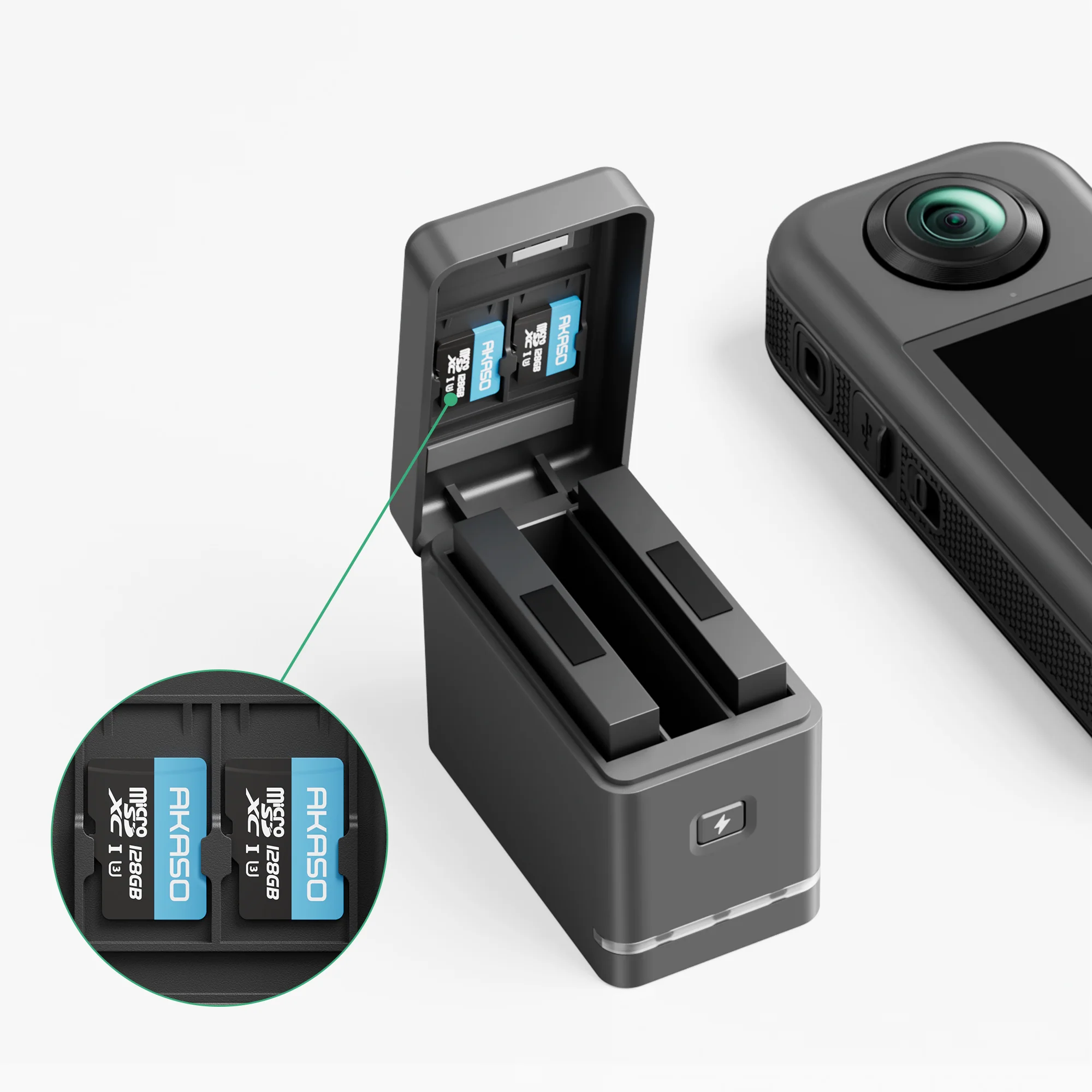
AKASO 360 Camera Battery & Charging Kit
Includes: Two standard rechargeable batteries and one three-slot charging case.
A useful option for longer rides, hikes, and trips. Swap in a fresh battery when needed and recharge multiple batteries together whenever you have access to a power source.
Shop AKASO 360 Camera Battery & Charging Kit
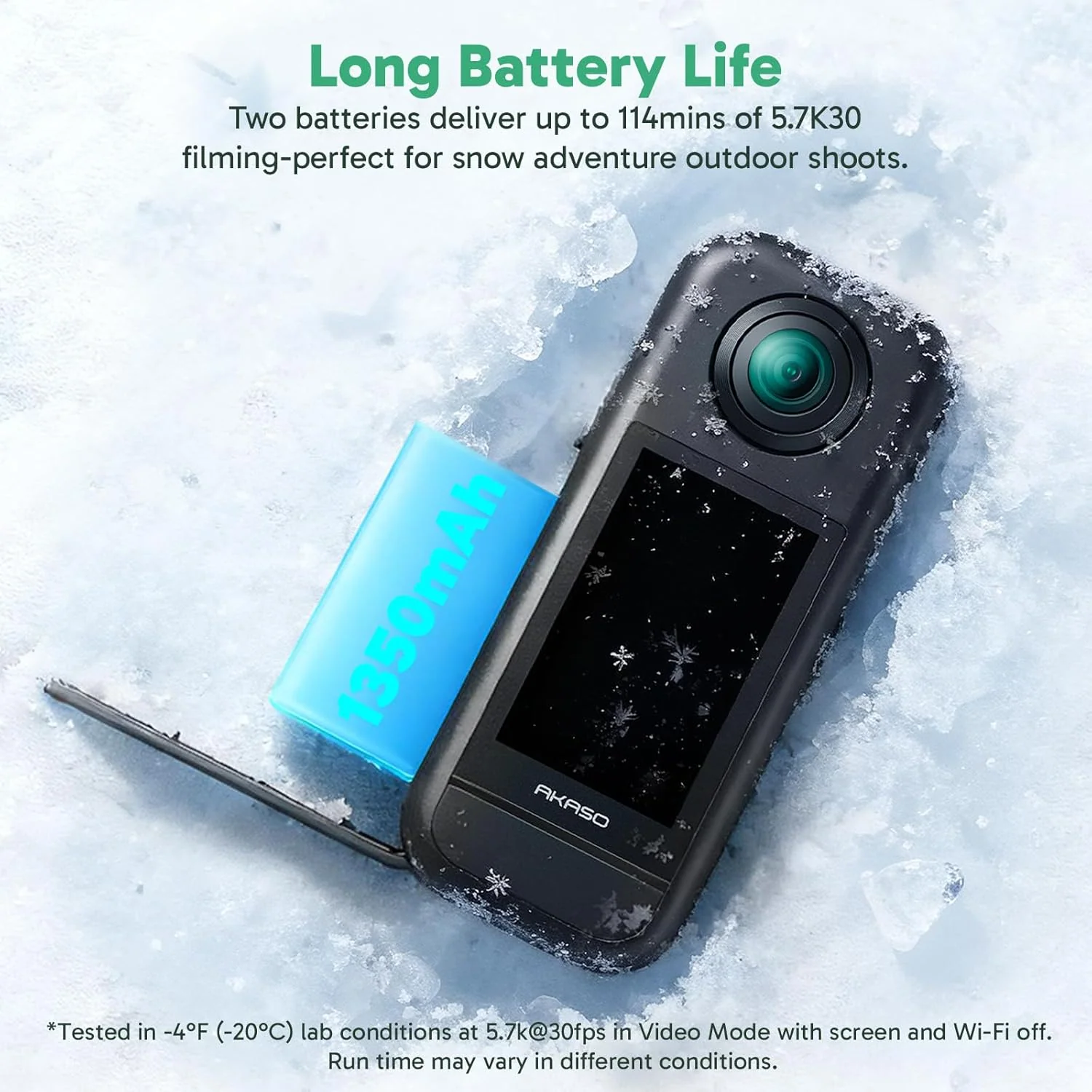
AKASO 360 Cold-Resistant Battery Kit
Cold weather can shorten the runtime of standard batteries. AKASO 360 cold-resistant batteries are designed for use in temperatures as low as -20°C (-4°F).
Paired with the multifunctional charging case, they are a practical choice for skiing, snowboarding, winter hiking, and other cold-weather adventures.
Shop AKASO 360 Cold-Resistant Battery Kit
Battery and Charging Kit Comparison
| Accessory | What's included | Best for |
|---|---|---|
| Camera Battery | 1 standard battery | Everyday backup power |
| Multifunctional Charging Case | 1 three-slot charging case | Charging and storing multiple batteries |
| Camera Battery & Charging Kit | 2 standard batteries + charging case | Extended shooting, cycling, and travel |
| Cold-Resistant Battery Kit | Cold-resistant batteries + charging case | Skiing and winter adventures |
4. How to Make Your AKASO 360 Battery Last Longer
A few simple habits can help you save power between shots and make the most of each charge.
Enable Auto Screen Lock and Auto Power Off
Keeping the touchscreen on when you are not using it draws extra power. Enable automatic screen locking and Auto Power Off to reduce battery drain between shots.
Use Quick Capture
Quick Capture lets you start recording with the camera turned off, so you can capture spontaneous moments without leaving the camera on all day.
Disconnect the App When You Are Not Using It
Keeping the camera connected to the AKASO 360 App for extended periods can use extra power, particularly when the wireless connection is unstable. Disconnect when you no longer need live preview or remote control.
Protect Your Batteries from Extreme Temperatures
Both heat and cold can affect battery performance. Avoid leaving your camera or batteries in direct sunlight or a hot car. In cold weather, keep spare batteries in a protected inner pocket until you need them, with their terminals covered.
For extended filming in cold conditions, consider AKASO 360 cold-resistant batteries.
Bring Spare Batteries or an External Power Source
Pack fully charged spare batteries for longer shooting sessions. The AKASO 360 also supports recording while connected to an external USB power source, such as a suitable power bank.
Keep the USB-C port dry when its cover is open, and avoid using external power in rain, snow, or wet conditions.
5. Battery Care and Storage Tips
Good battery care can help maintain performance over time.
- Fully charge the battery before using your camera for the first time.
- Use official AKASO batteries and charging accessories.
- Let hot batteries cool before recharging.
- For long-term storage, keep batteries at approximately 50%–60% charge.
- Store batteries in a cool, dry place away from direct sunlight.
- Keep battery terminals away from metal objects such as keys and coins.
- Turn off the camera before removing or replacing the battery.
- Protect batteries from crushing, impacts, and other physical damage.
- Stop using any battery that is swollen, damaged, leaking, or unusually hot.
Stay Powered for Your Next Adventure
A little preparation goes a long way. Charge your batteries before you leave, pack enough spare power for your plans, and choose the battery accessories that suit the way you shoot.
Explore AKASO 360 Batteries & Charging Accessories
FAQ
Can I record with the AKASO 360 while charging?
Yes. The camera supports recording while connected to an external USB power source, which is useful for extended recording sessions and fixed-camera setups.
How long does it take to fully charge an AKASO 360 battery?
Charging through the camera takes approximately 100 minutes with a 5V/3A power adapter. Actual charging time may vary.
Can the AKASO 360 charging case charge three batteries at once?
Yes. It supports simultaneous charging of up to three batteries, with a separate LED indicator for each slot.
Do all AKASO 360 camera combos include the same number of batteries?
No. Battery quantities and accessories vary by combo. Check the official AKASO 360 product page for the contents of your chosen combo.
Can I use standard AKASO 360 batteries in cold weather?
Cold temperatures can reduce recording time. For skiing, snowboarding, or extended filming in cold conditions, consider AKASO 360 cold-resistant batteries.
Can I buy extra AKASO 360 batteries separately?
Yes. Standard batteries, charging cases, and battery kits are available through the official AKASO store, subject to regional availability.
Shop AKASO 360 Batteries & Charging Kits
Tips
View All > cycling, 360 cycling video, camera angles, mounting positions, filming guide
How to Film Cycling with AKASO 360: Accessories, Mounting & Angles
11/20/2026 travel filming guide, 360 travel filming, travel filming accessories, creative travel video ideas
AKASO 360 Travel Filming Guide: Essential Accessories & Creative Ideas
11/19/2026 howto, skiing, snowboarding, winter sports, outdoor adventures
How to Film Skiing with AKASO 360: Accessories, Mounts & Angles
11/10/2026