Tips
Wondering what the red, blue, or green light on your AKASO 360 means?
The LED indicator lights help you check your camera's status at a glance, whether you're recording, taking a photo, charging, or running low on battery.
Here's a simple guide to what each light color and flashing pattern means.
Where Are the AKASO 360 Indicator Lights?
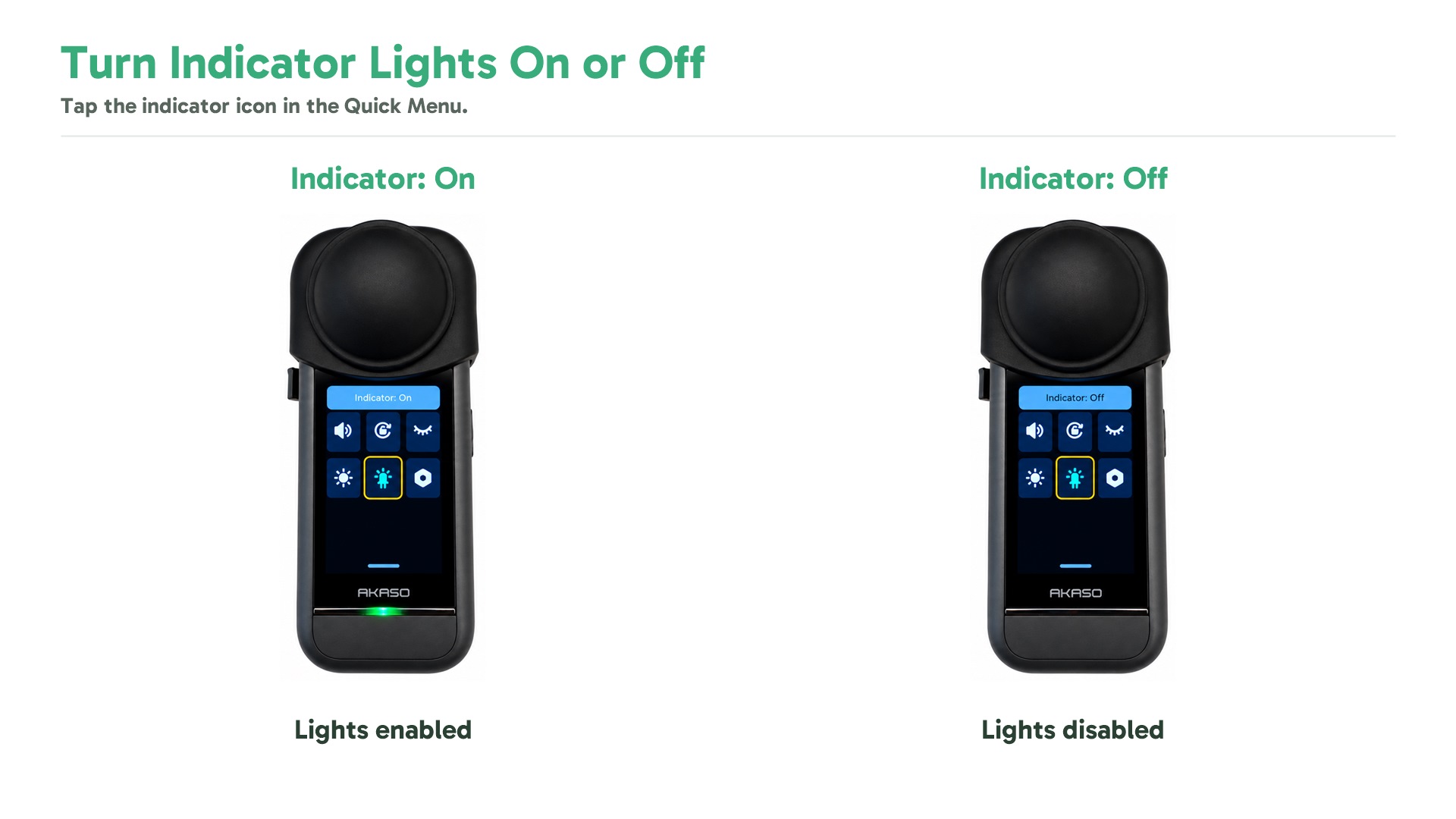
The AKASO 360 has two LED status indicators, both showing the same information.
You can turn the indicator lights on or off in the camera's Quick Menu.

What Do the AKASO 360 Indicator Lights Mean?
Each light color and flashing pattern indicates a different camera status.
| Indicator Light | Camera Status |
|---|---|
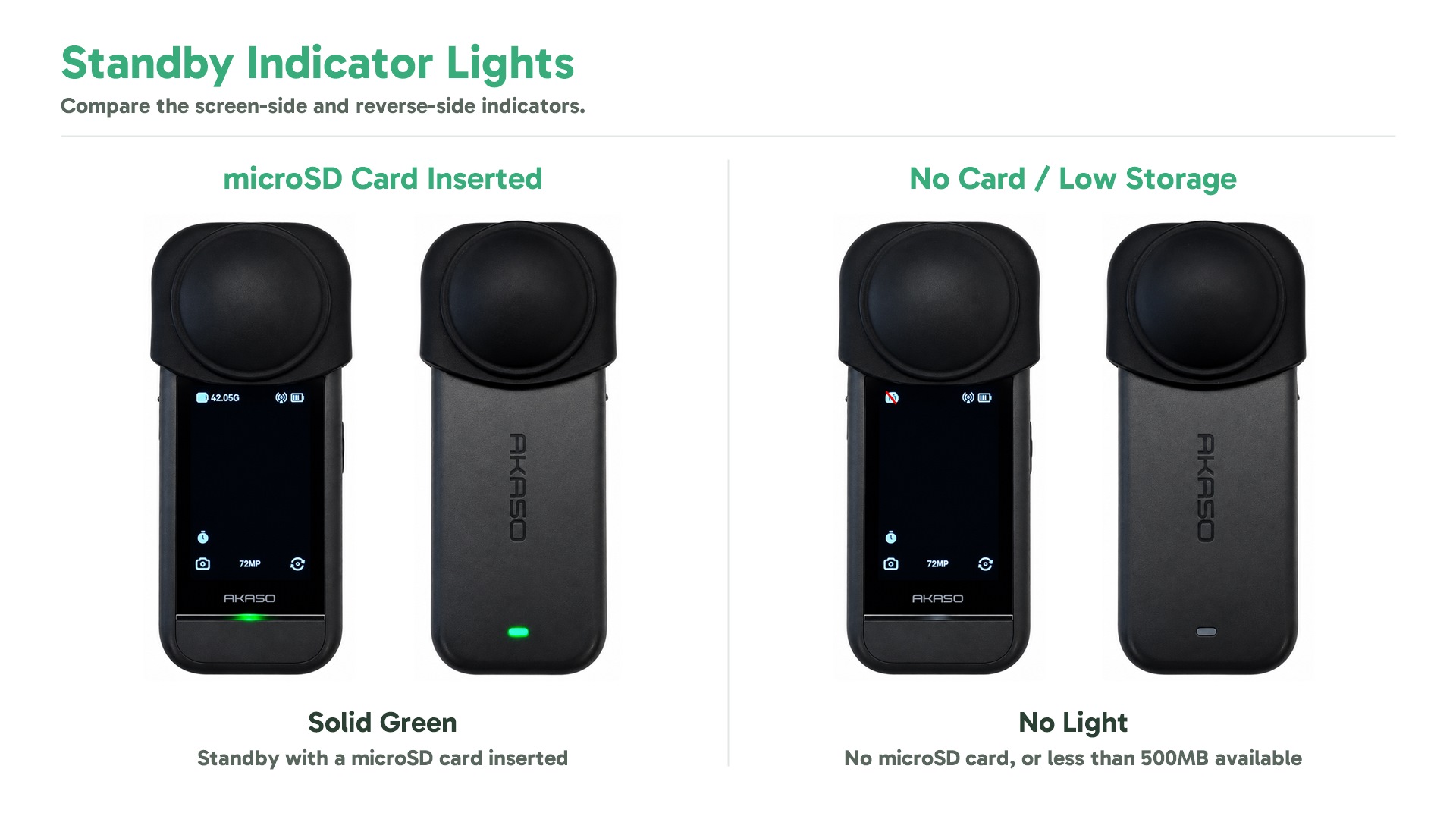
| Solid Green | Standby with a microSD card inserted |
| No Light | Standby without a microSD card, or with less than 500MB of available storage |
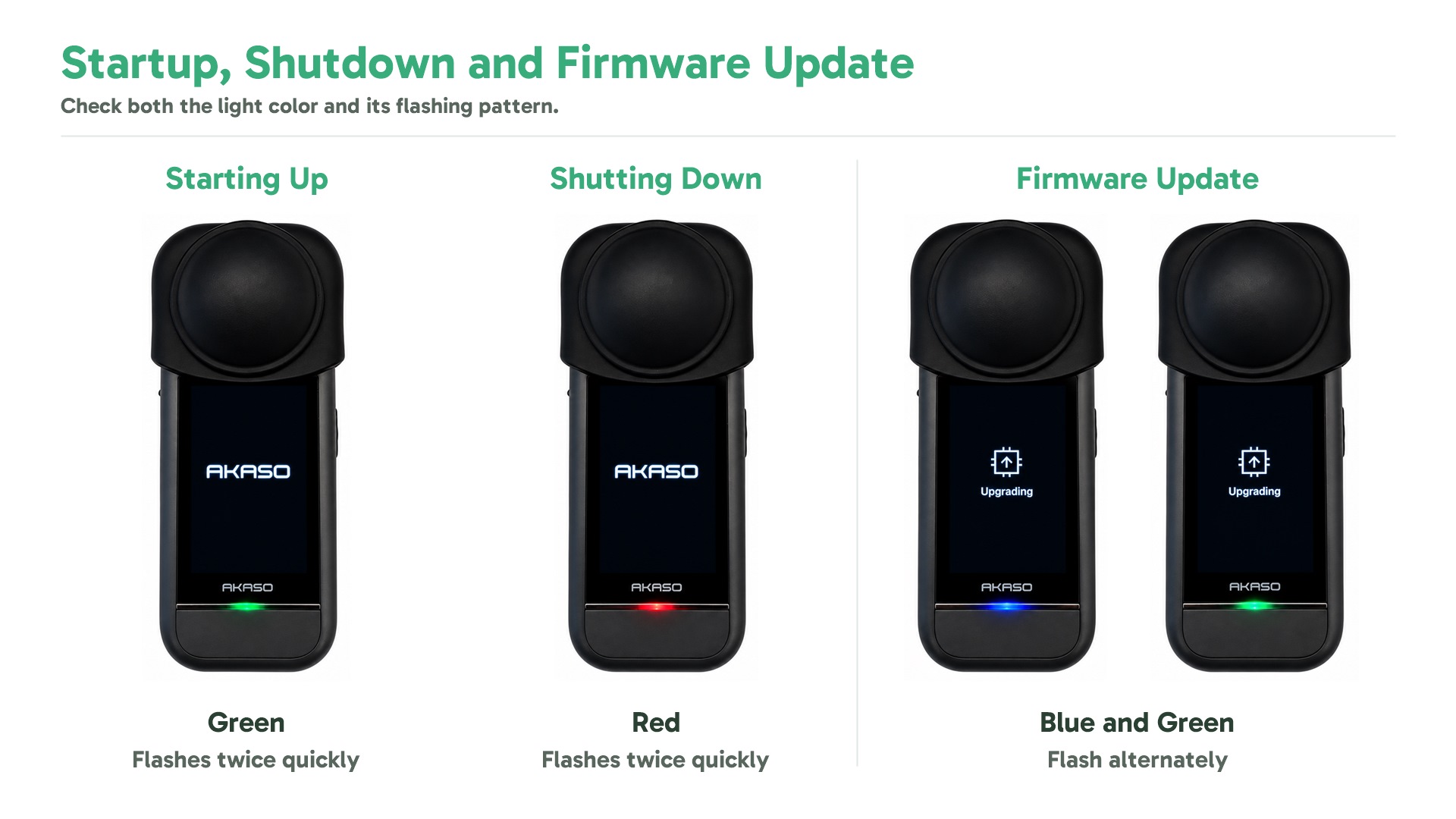
| Green (Flashes Twice Quickly) | Camera starting up |
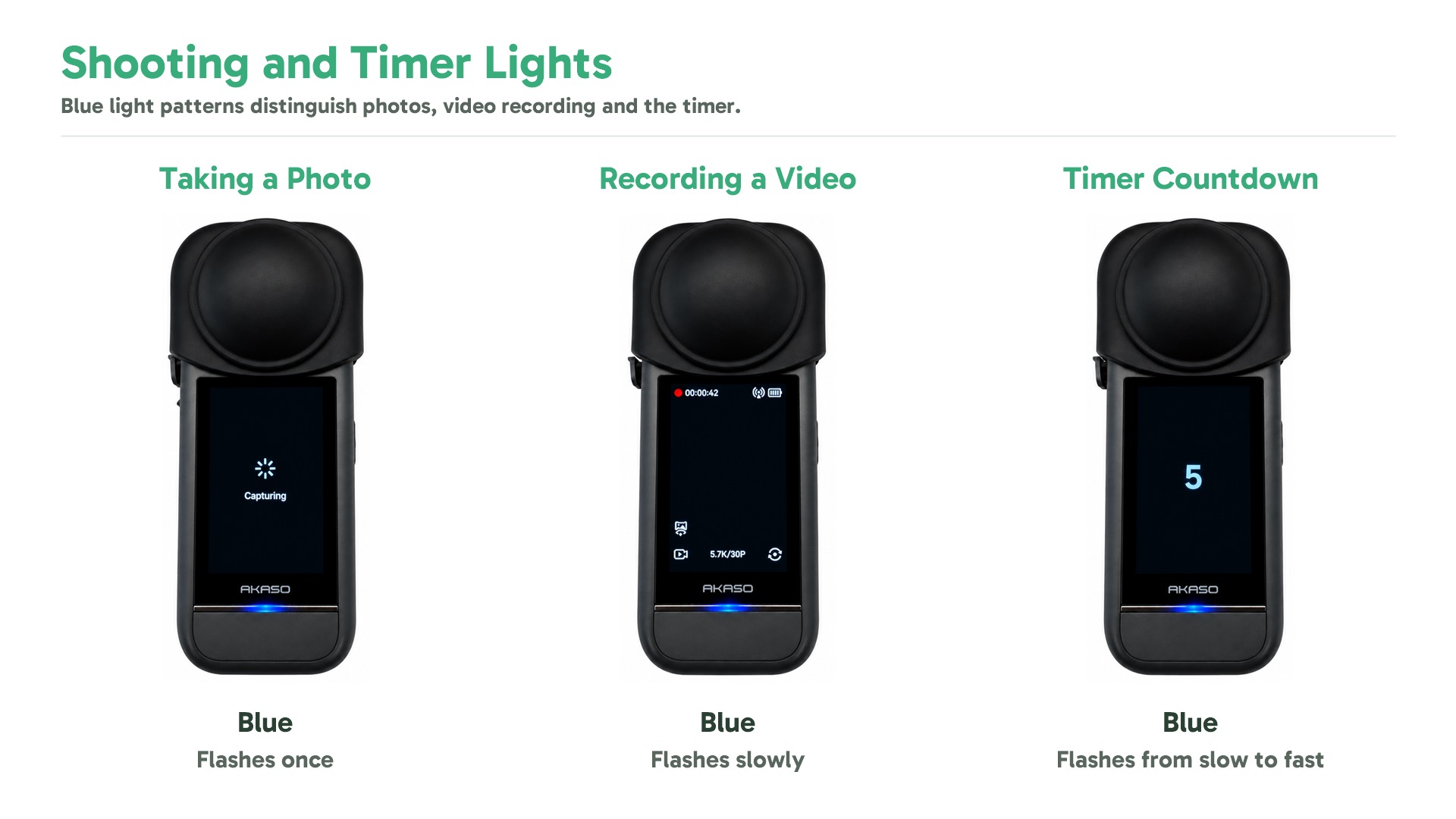
| Blue (Flashes Once) | Taking a photo |
| Blue (Flashes Slowly) | Recording a video |
| Blue (Flashes from Slow to Fast) | Timer counting down |
| Blue and Green (Flash Alternately) | Firmware update in progress |
| Red (Flashes Twice Quickly) | Camera shutting down |
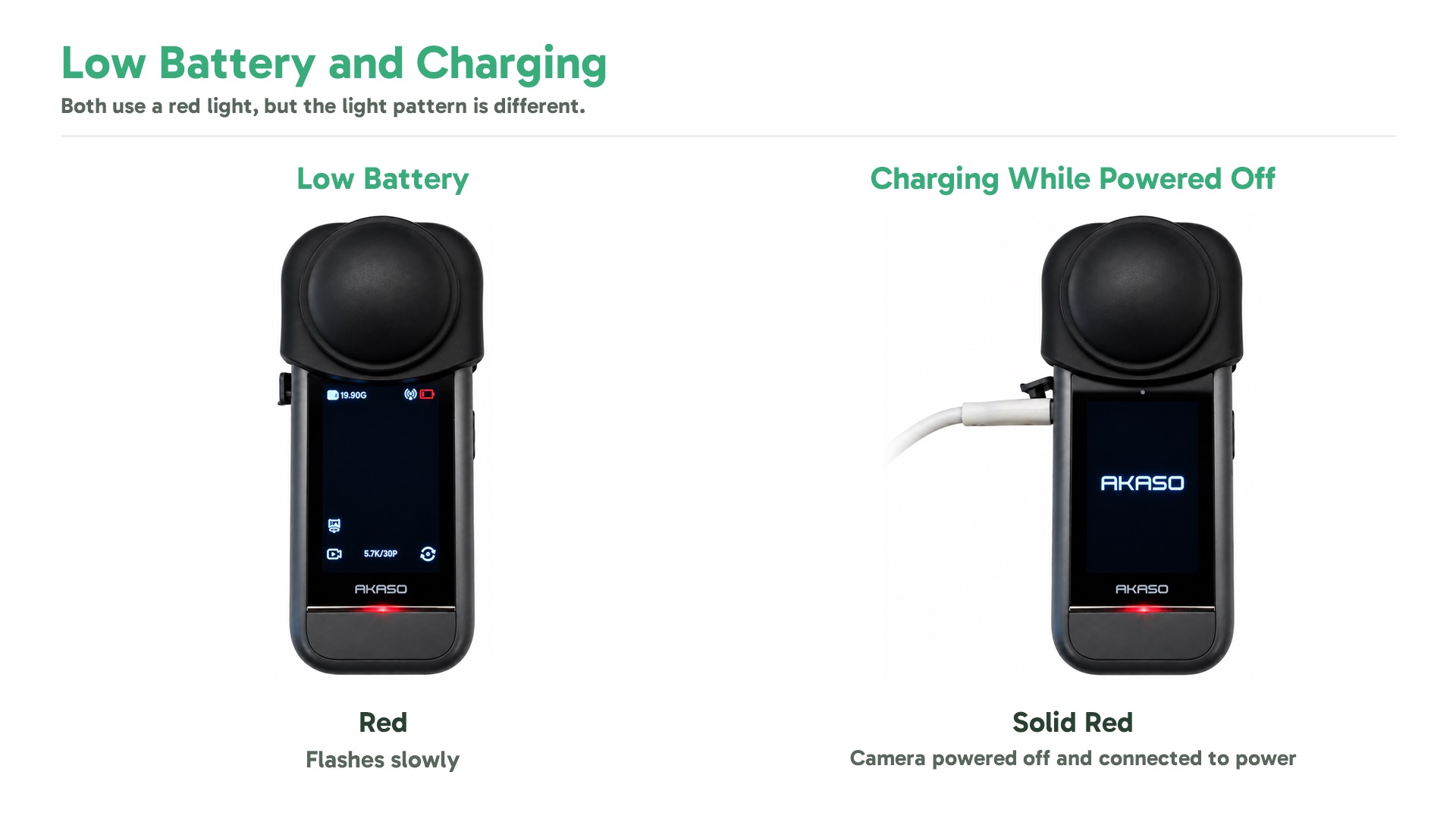
| Red (Flashes Slowly) | Low battery |
| Red (Flashes Quickly) | Camera error |
| Solid Red | Charging while the camera is powered off |
Sign up for exclusive offers, teaching guide, events and more.
Tips
View All > AKASO 360 Studio, 360 footage transfer, 360 video import, desktop editing, beginner tutorial, file management
3 Ways to Transfer and Import 360 Footage into AKASO 360 Studio
10/22/2026 360 footage import, file transfer, mobile editing, beginner tutorial
3 Ways to Import 360 Footage into the AKASO 360 App
10/21/2026 Motorcycle Camera Angles, Motorcycle Camera Mounts, 360 Camera Motorcycle Filming, Motorcycle Riding Videos
7 Best Motorcycle Camera Angles for 360 Cameras
10/15/2026