How to Use the “Racing Tiny Planet” SmartClip Template: A Step-by-Step Guide for Beginners
Want to turn a single riding clip into a creative 360 video—without filming the same ride again or learning complicated editing?
The new “Racing Tiny Planet” SmartClip template is now live in the AKASO 360 App. With one 360 clip, the template creates a playful tiny-planet effect that makes the ride feel faster and more dynamic. Follow the six simple steps below to create your own.
What You Need
- AKASO 360 camera
- Super Clamp
- AKASO 360 App
Step-by-Step Tutorial
Step 1: Set Up the Camera
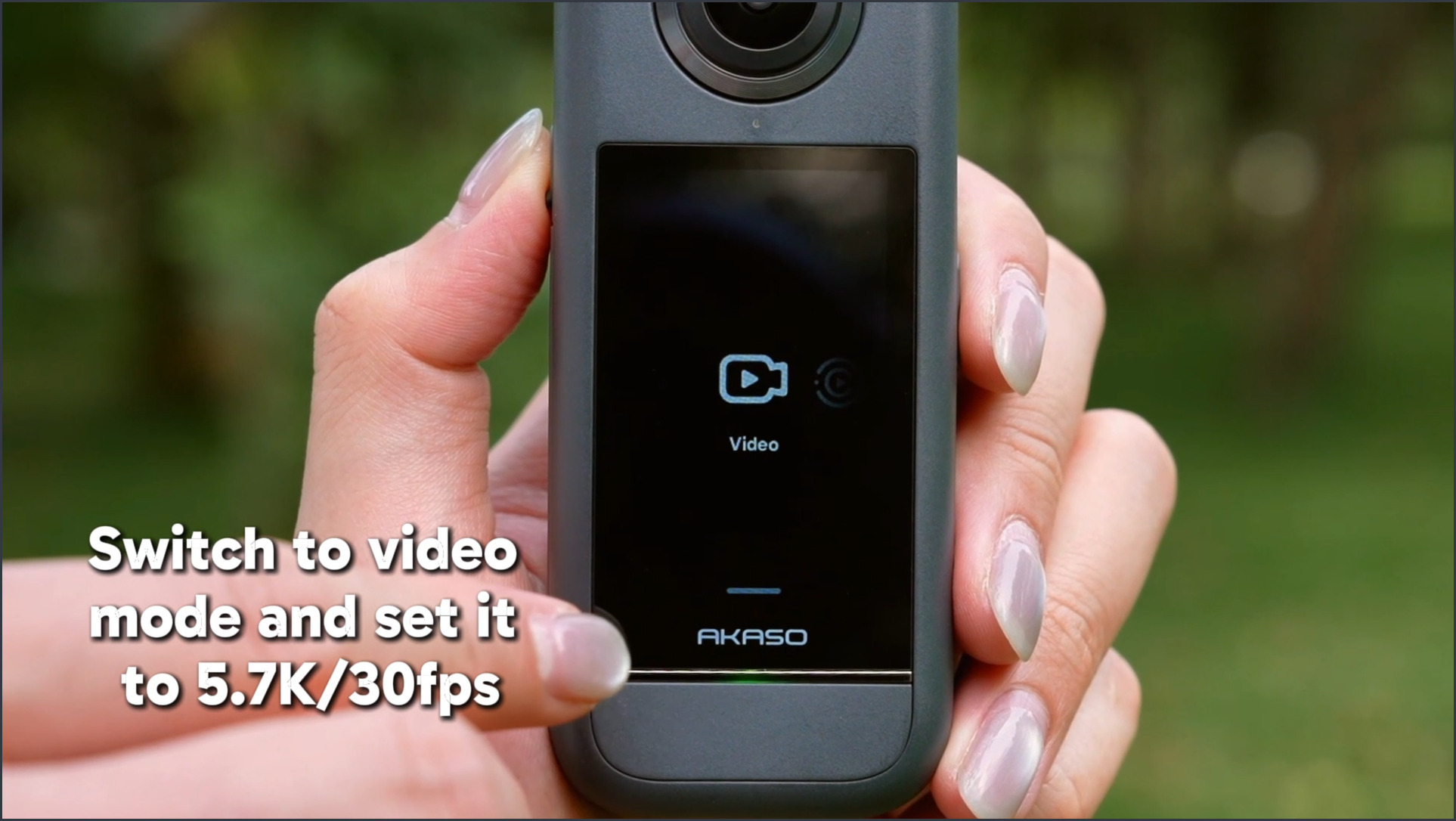
Switch to Video mode and set your AKASO 360 to 5.7K/30fps.
Step 2: Mount the Camera
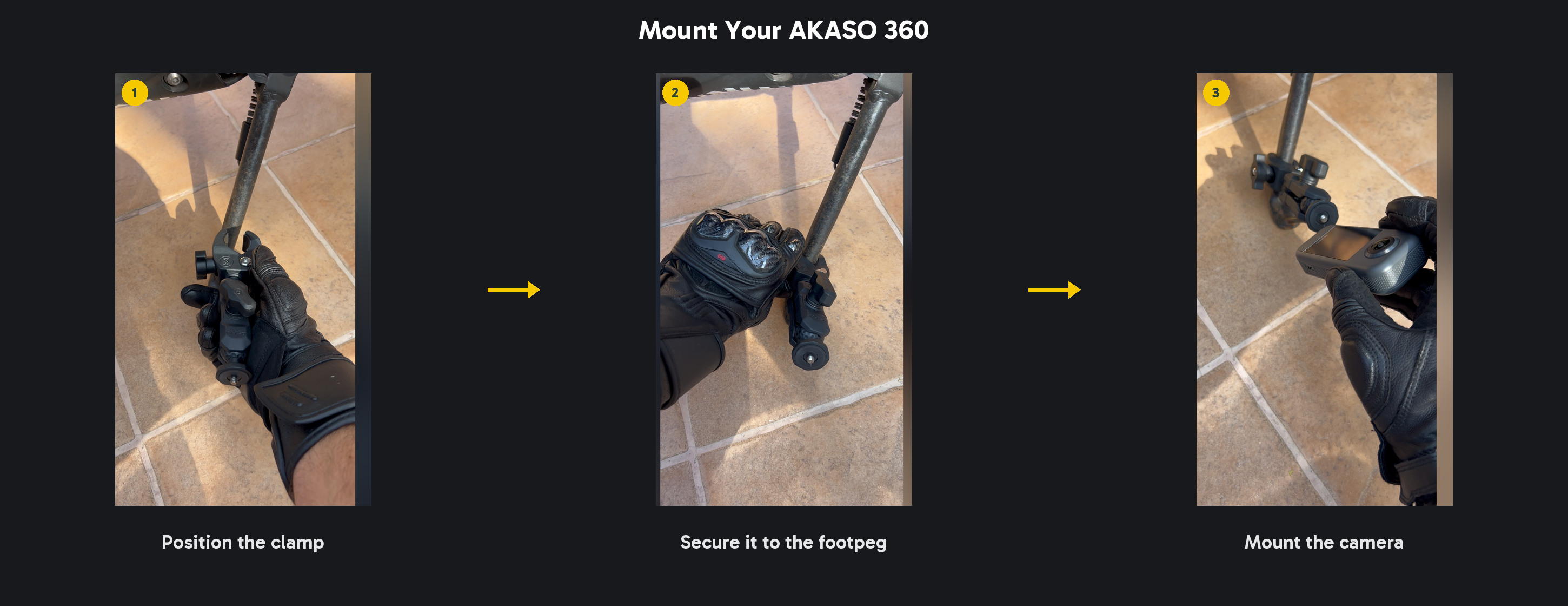
Secure the Super Clamp to the motorcycle footrest, then attach your AKASO 360 to the clamp. Make sure both connections are tight before you ride.
Step 3: Record Your Ride
Press the Shutter button to start recording, then enjoy the ride.
Step 4: Apply the “Racing Tiny Planet” Template
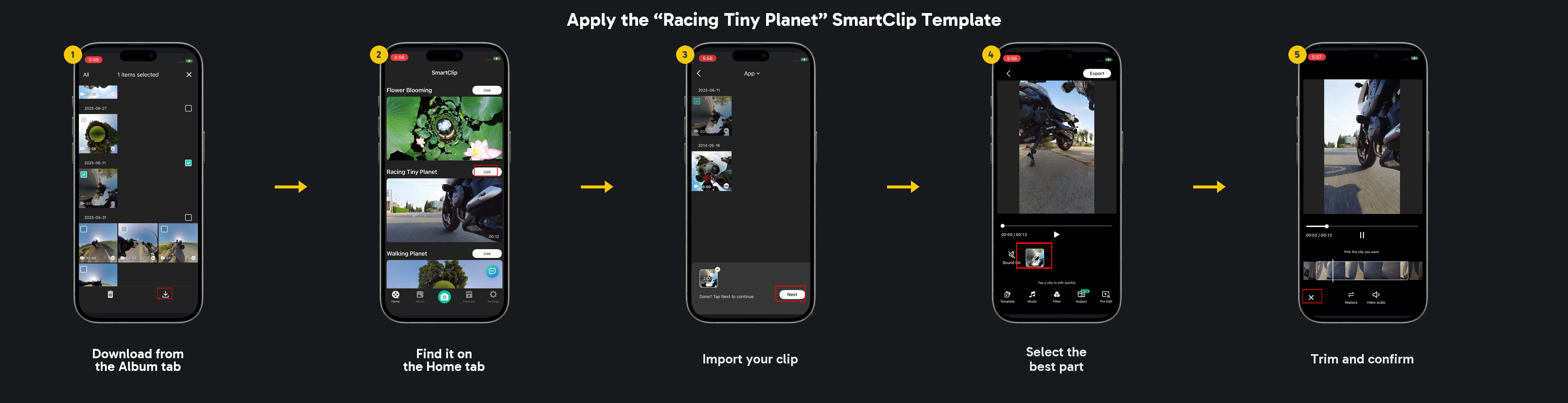
Open the Album tab in the AKASO 360 App and download your riding clip. Then go to the Home tab, find the “Racing Tiny Planet” SmartClip template, and import the clip.
Trim it to the best part of the ride.
Step 5: Customize Your Video
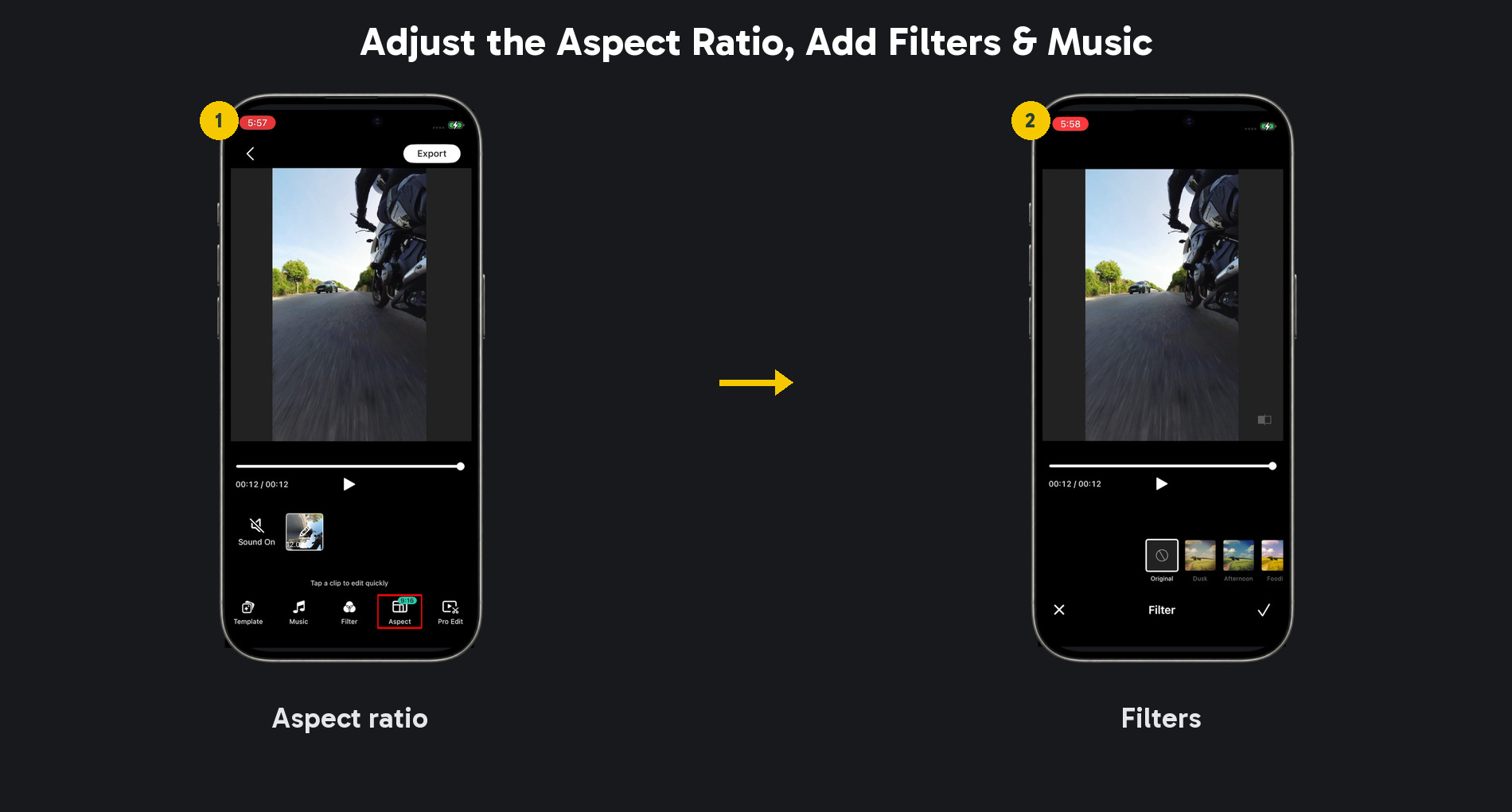
Choose your preferred aspect ratio, add a filter, and select music that fits the mood of your ride.
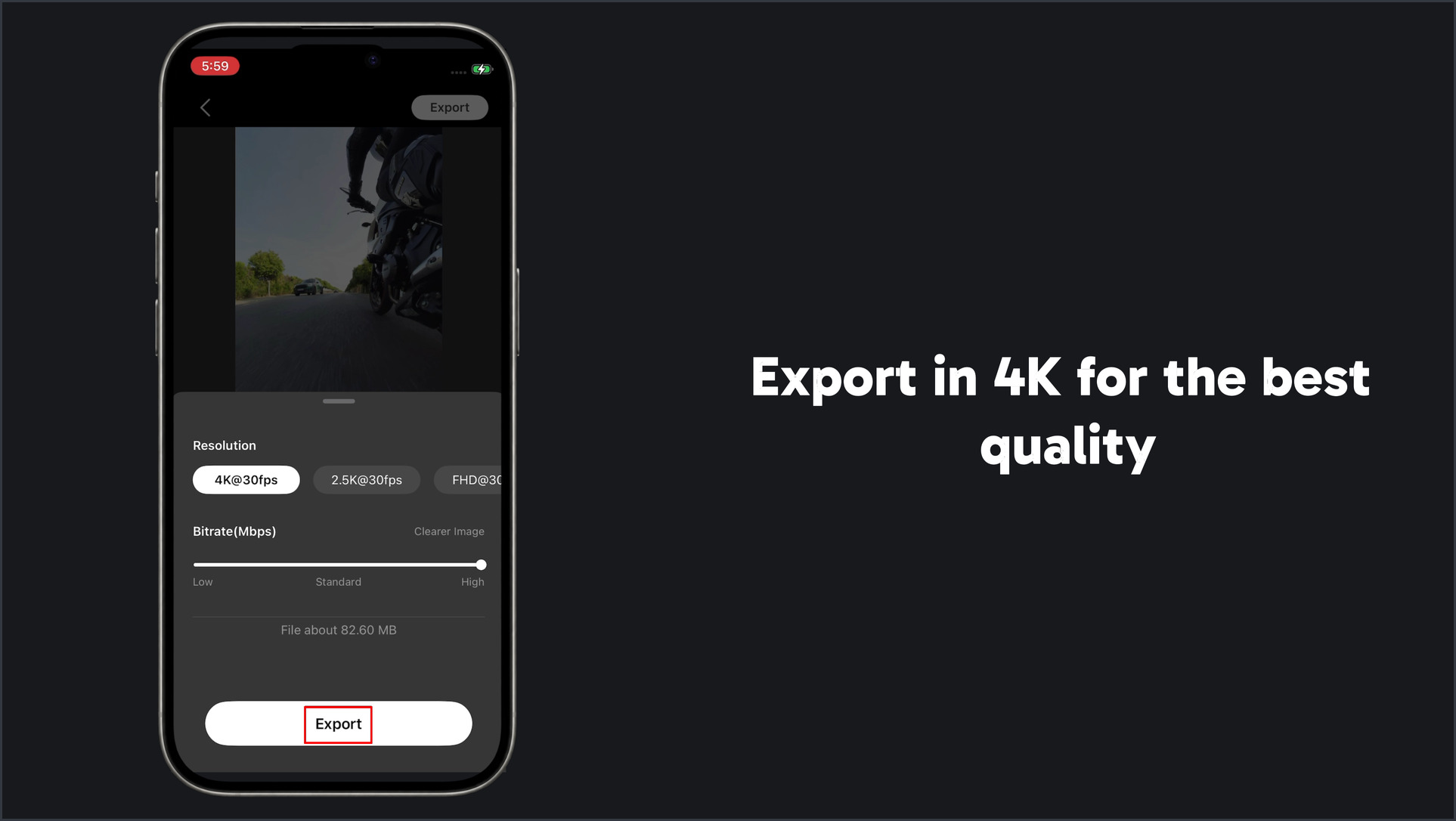
Step 6: Export in 4K
For the best quality, export your finished video in 4K.
Quick Tips
- Check that the clamp and camera are secure before every ride.
- Choose a smooth section with clear forward movement for the strongest effect.
Ready to Try It?
Open the AKASO 360 App, find “Racing Tiny Planet” in SmartClip, and create a creative 360 video from your next ride.
Share your finished video with #ShareWithAKASO.
Tips
View All > Motorcycle Camera Angles, Motorcycle Camera Mounts, 360 Camera Motorcycle Filming, Motorcycle Riding Videos
7 Best Motorcycle Camera Angles for 360 Cameras
10/15/2026 Motorcycle Accessories, Motorcycle Camera Mounts, Motorcycle Filming, Motorcycle Riding, 360 Camera Accessories
Best AKASO 360 Accessories for Motorcycle Riding
10/14/2026 AKASO 360 tutorials, mobile video editing, 360 video clarity, troubleshooting, beginner guide
AKASO 360 App Guide: Tutorials, Tips & Troubleshooting
10/14/2026